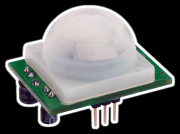
flex, light, and pressure SFR sensor all use the same code.
Arduino:
The difference between blink and blink without delay is, blink uses delay -
delay: takes a single argument (a number in milliseconds) and waits that long. It stops all motion when it hits that line of code.
Blink without delay in Arduino
int ledPin = 2; // LED connected to digital pin 2
int value = LOW; //low = 0. high = 1
long previousMillis = 0; // will store last time LED was updated
long interval = 1000; // interval at which to blink (milliseconds)
void setup()
{
pinMode(ledPin, OUTPUT); // sets the digital pin as output. the first argument is ledPin, which pin we are using. the second argument specifies which mode the pin in is, input or output
}
void loop()
{
if (millis() - previousMillis > interval) {
previousMillis = millis(); // millis return back the number of millisecond that have elapsed since the program started running. it's like a stopwatch.
// if the LED is off turn it on and vice-versa.
if (value == LOW)
value = HIGH;
else
value = LOW;
digitalWrite(ledPin, value);
}
}
how do you choose a value for a fixed resistor? it should be equal to, or close to, the same value as the low end of the variable resistor.
Graph (working with LDR sensor) in Arduino
void setup ()
{
Serial.begin(9600); //starts communication with computer. 9600 is the baud rate, how much it can transfer
}
void loop()
{
Serial.println(analogRead(0));
delay(100);
}
analog pins can output data between 0 - 1024
dont unplug arduino when the serial monitor is on. just press the serial monitor button to turn it off. also, don't quit the arduino software when the serial monitor is on. you never want more than one program to listen to a serial port at one time, so, don't leave one running in arduino and then start one in processing at the same time.